Send a newsletter
Send a newsletter
Already have readers? Email your latest post straight to their inbox, from your own site.
A newsletter lets you send a post to readers by email, straight from your site. Turn it on once, add your readers, then send any post you like.
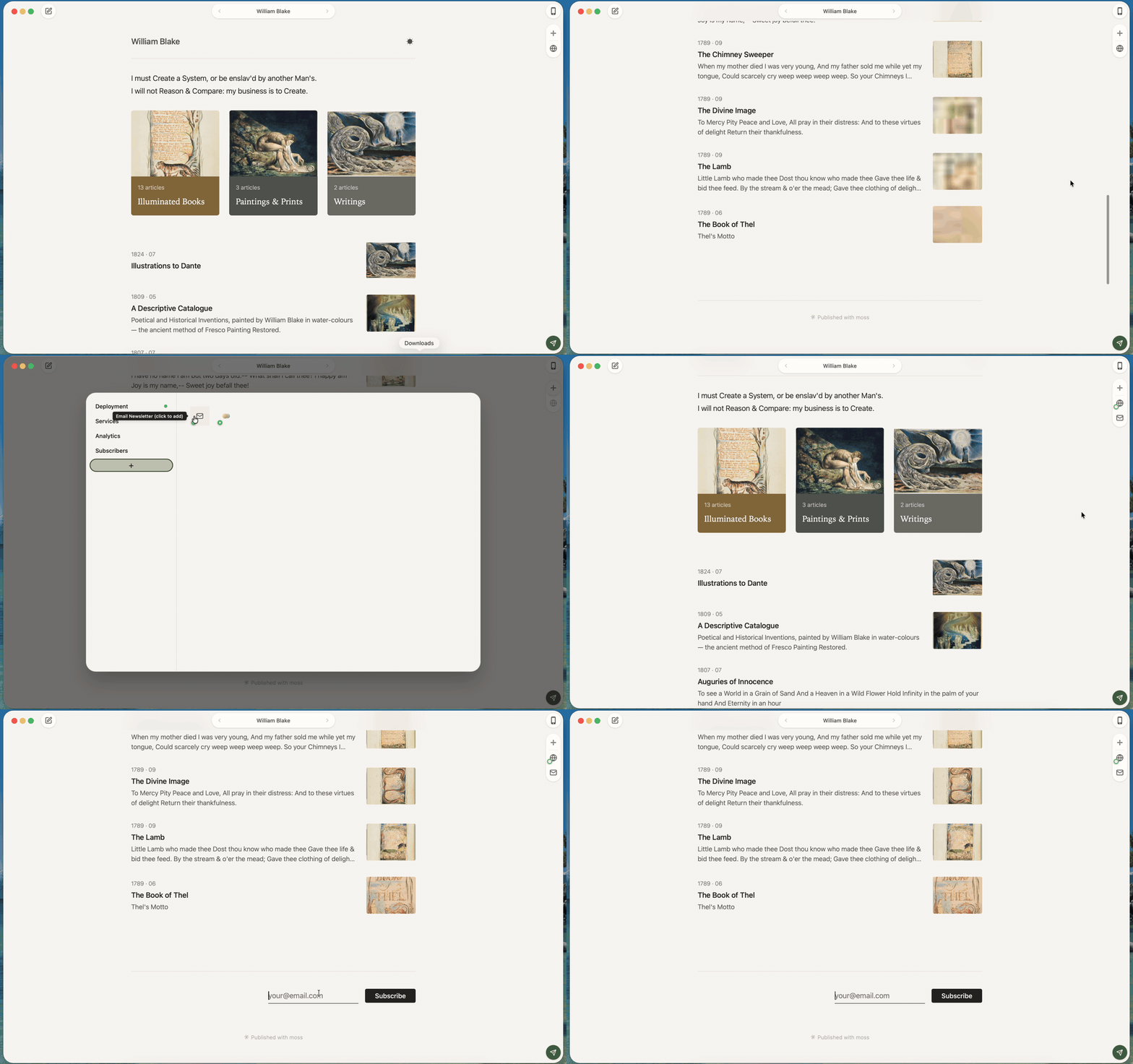
Newsletter sending works for sites hosted on moss. Sites hosted elsewhere cannot send from moss yet.
Turn on the newsletter
1. Open Channels. In settings, open the Channels tab.
2. Add the newsletter. Find the Email Newsletter tile. Click the small + badge on its icon to switch it on. The badge flips to a −, confirming it's on.
Add your readers
1. Open Subscribers. In settings, open the Subscribers tab. You'll see a Subscribers heading with a count, and a list of everyone signed up.
2. Press + Add. Click + Add to open a short form.
3. Type the emails. Under Emails (one per line), paste or type one address per line. If your site has more than one language, you'll pick a Language first, so each reader hears from you in the right one. A note reminds you these are Added without confirmation email., so only add people who asked to hear from you.
4. Press Add. The form closes, the list refreshes, and the count goes up. If an address can't be added, moss tells you and adds nothing.
Each reader has a status, shown as a small mark you can hover for the word: Confirmed, Unverified, Pending, Bounced, Complained, or Unsubscribed. To remove someone, click the × at the end of their row. To keep a copy of your list, use Export CSV at the bottom.
Send a post
1. Turn on email for the post. Open the post you want to send. In the publish panel, switch on the newsletter channel for this post. This only arms it — nothing is sent yet. Email is off by default.
2. Press Publish. moss puts your latest changes online, then opens the email composer on the left.
3. Fill in the message. The composer shows a few rows:
- From: your name, sending from your site's address at
[email protected]. If you've set your email in settings, a line confirms replies reach you. - To: the readers who'll get this. On a site with more than one language, pick which group.
- Subject: the line readers see first. Type one under Enter a subject.
- Preview: an optional Short hook shown below the subject line in inboxes.
The body starts from your post and can be edited freely. Changes are saved as a draft and never touch the published post.
4. Send a test first. Click Send test to mail a copy to yourself. (Set your email in settings to use this.)
5. Send it. Click Send → N, where N is how many readers will get it. moss shows a recap, Send to N subscribers?, so you can check the From, To, Subject, and Preview one last time. Press Send now → N to send, or Go back to keep editing.
What you'll see
When it's on its way, a message confirms the send and the composer closes. Your draft clears. Your readers have the post in their inbox; your site stays as it is.
Next
Want the same post on Matters too? See Share to Matters.